Family portal · Module 16 of 20
Student 360
The 360 view is the whole picture on one screen: where the student stands academically, how often they are actually in class, what practice they've done, and what teachers have said lately.
- Route
- /360
- Captured in
- Firefox
- Reaches
- Parents and students
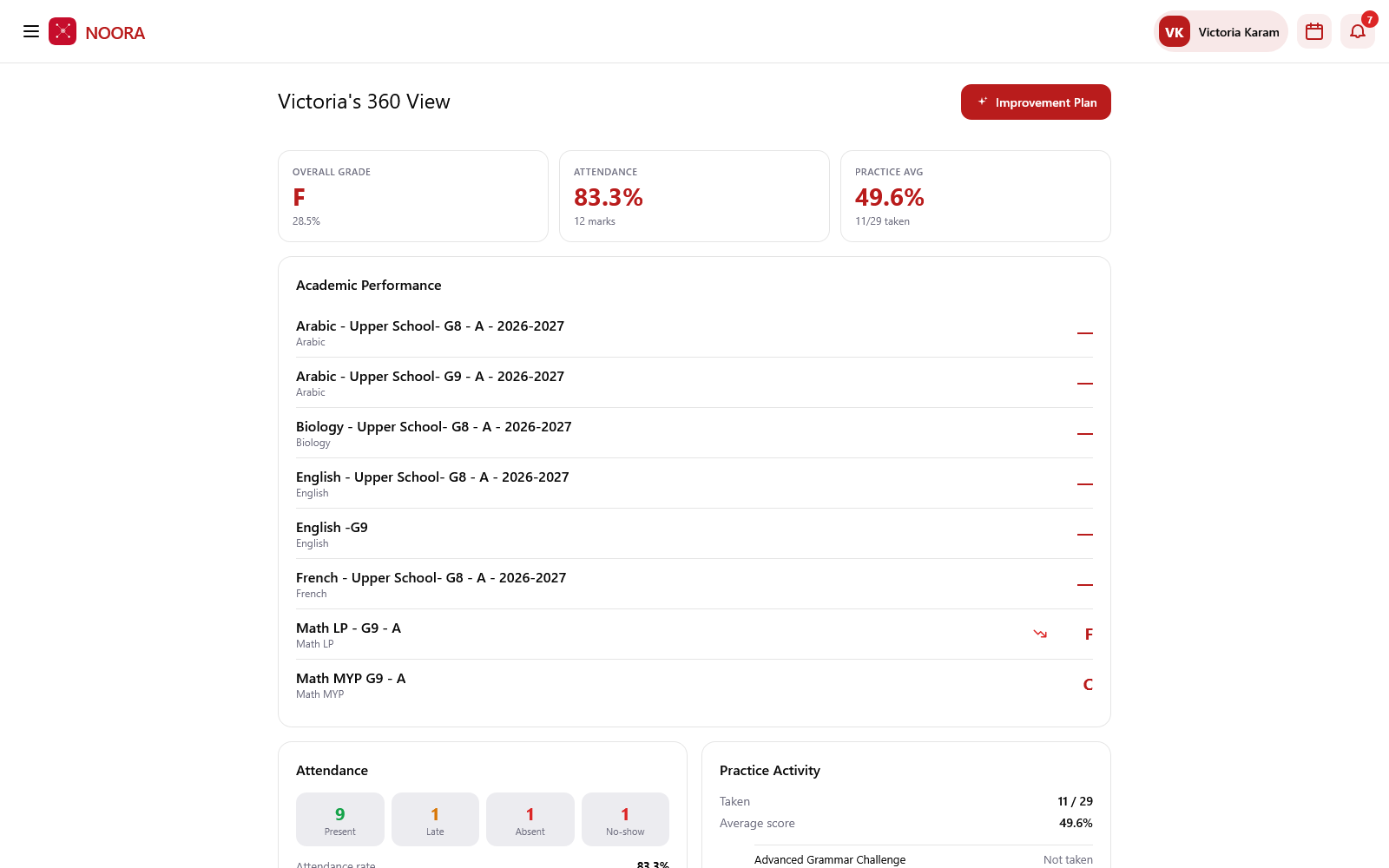
The three counters
| Counter | Reads |
|---|---|
| Overall grade | Letter grade and percentage across published results. |
| Attendance | Attendance rate, and how many attendance marks it is based on — a rate from 12 marks is read differently from one built on 200. |
| Practice average | Average practice score, with how many of the available sets were taken. |
What's broken out below
- Academic performance — every enrolled course with its grade, or a dash where nothing is published yet.
- Attendance — present, late, absent and no-show counts behind the rate.
- Practice activity — each practice set, taken with its score or marked not taken.
- Behaviour & engagement — positive notes against notes needing attention.
- Recent teacher notes — the actual events, including dispatched report-card PDFs, performance notes, late arrivals, no-shows and absences.
Improvement plan
Improvement plan turns the same evidence into something actionable — what to work on, drawn from the courses and topics where results and practice scores are weakest, rather than a generic study-harder message.
A dash is not a zero
Courses show — until a result is published. An empty
grade means the school hasn't released marks for that course yet, not that the student scored nothing.