Office · Module 10 of 20
Accounting overview
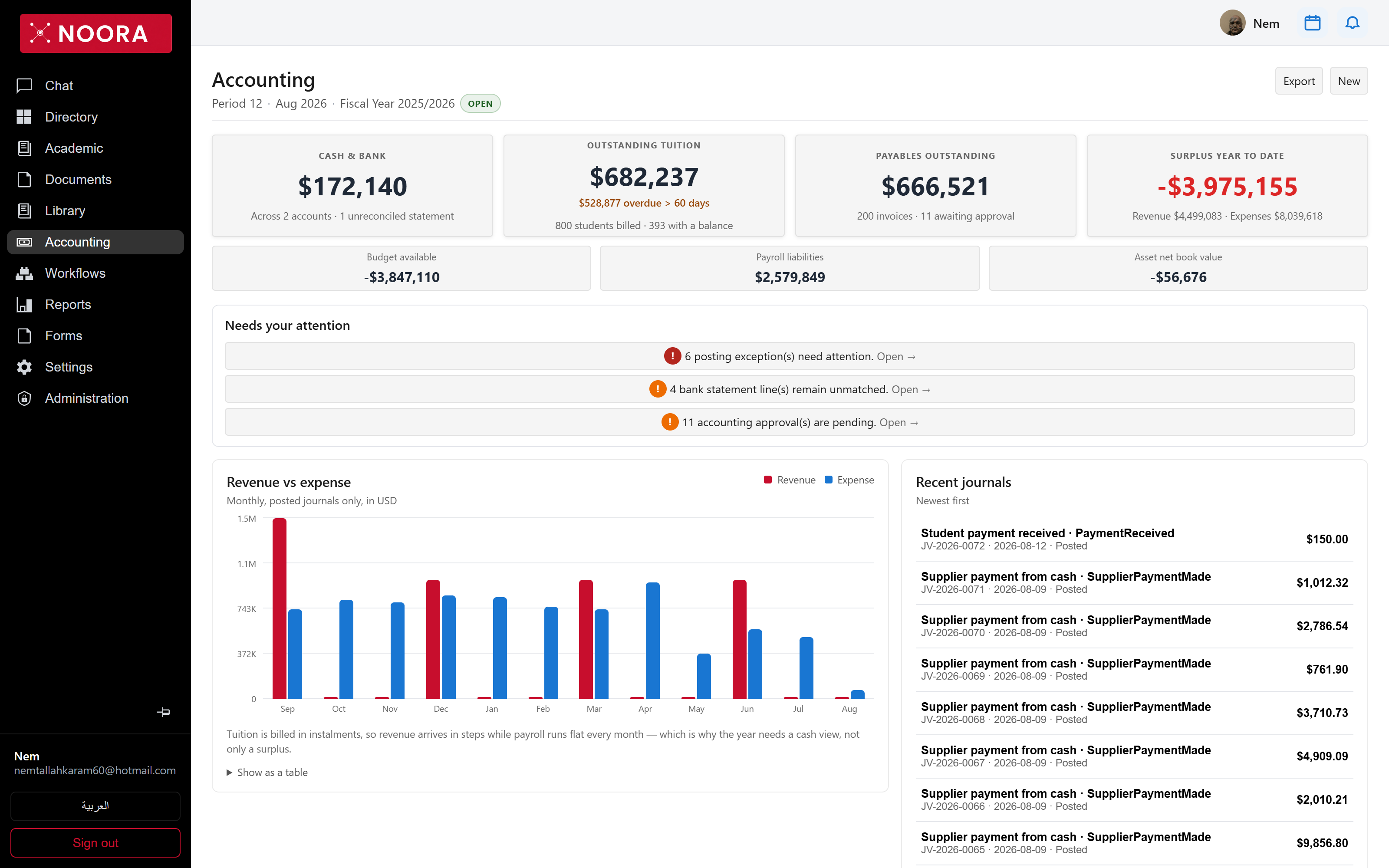
The accounting home answers one question — what needs attention today — before it shows any statement. Cash, tuition owed, supplier exposure and the year's surplus sit on top; exceptions, unmatched bank lines and pending approvals sit right under them with a way in.
- Route
- /office/accounting/dashboard
- Captured in
- Chrome
- Reaches
- Bursar, accountant, head of school
The header tells you the period
Period 12 · Aug 2026 · Fiscal Year 2025/2026 · OPEN. Posting is only allowed into an
open period, so this line is the first thing to check when an entry won't save.
The four counters
| Counter | Reads |
|---|---|
| Cash & bank | Balance across bank and cash accounts, and how many statements are still unreconciled. |
| Outstanding tuition | Total owed by families, how much is more than 60 days late, and how many of the billed students carry a balance. |
| Payables outstanding | Owed to suppliers, with the count awaiting approval. |
| Surplus year to date | Revenue less expenses, with both sides shown so a negative number is legible. |
Needs your attention
Three queues, each a link rather than a number to remember: posting exceptions, unmatched bank statement lines, and pending accounting approvals. Clearing these is the daily loop.
Tuition is billed in instalments while payroll runs flat every month, so revenue arrives in steps and a surplus line alone misleads. The dashboard says so directly, and offers Show as a table for anyone who would rather read the numbers.
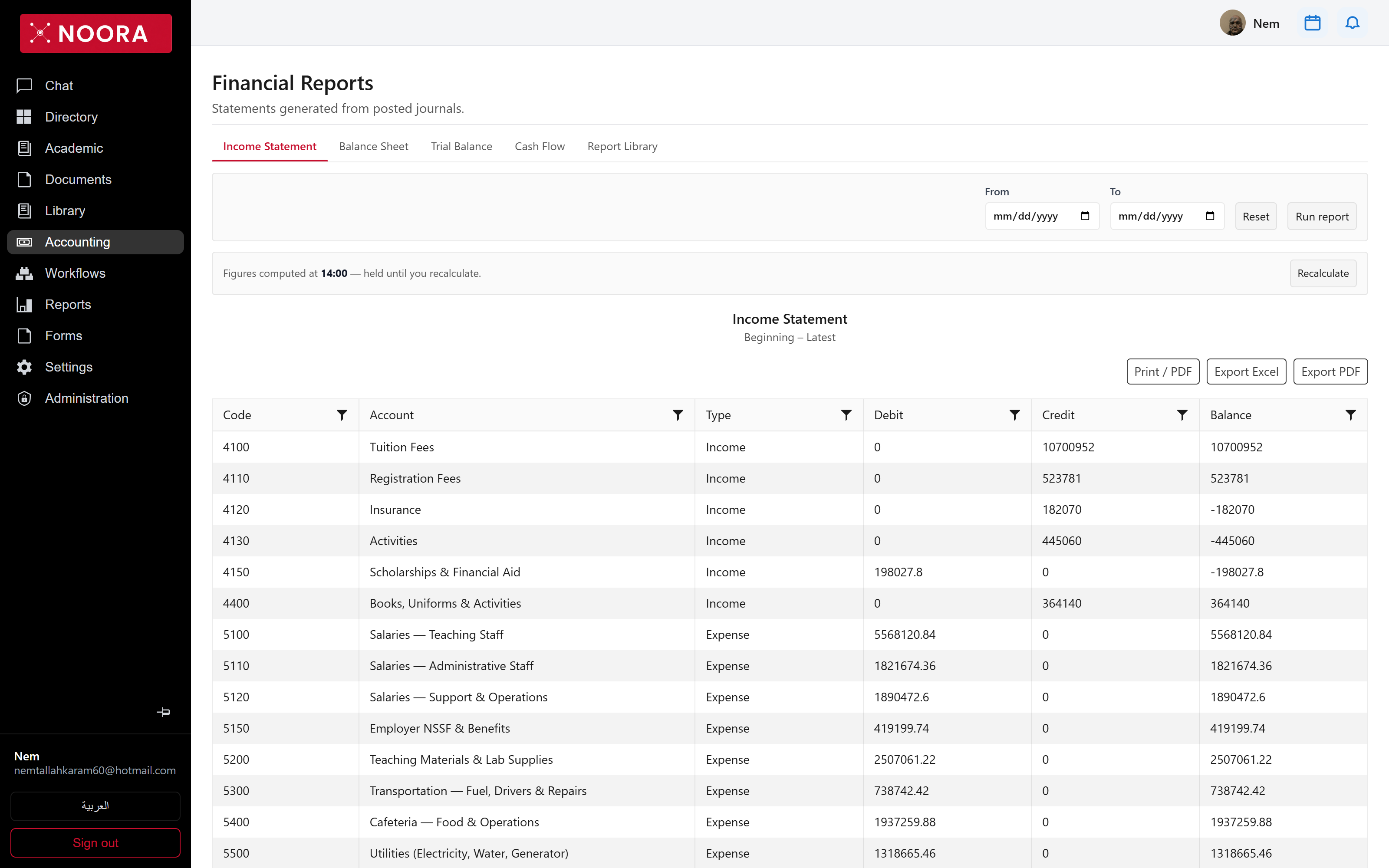
Statements
The reports screen runs the four statements a school actually files — income statement, balance sheet, trial balance and cash flow — from posted journals only, over a date range you choose. Figures are held after they're computed, with the time they were computed shown, so two people reading the same statement see the same numbers until someone recalculates.