Office · Module 02 of 20
Students, parents & families
The directory holds the three record types every other module points at — students, the parents who receive their alerts, and the families that group them into households.
- Route
- /office/students
- Captured in
- Chrome
- Reaches
- Registrar, admin, division heads
What you can do here
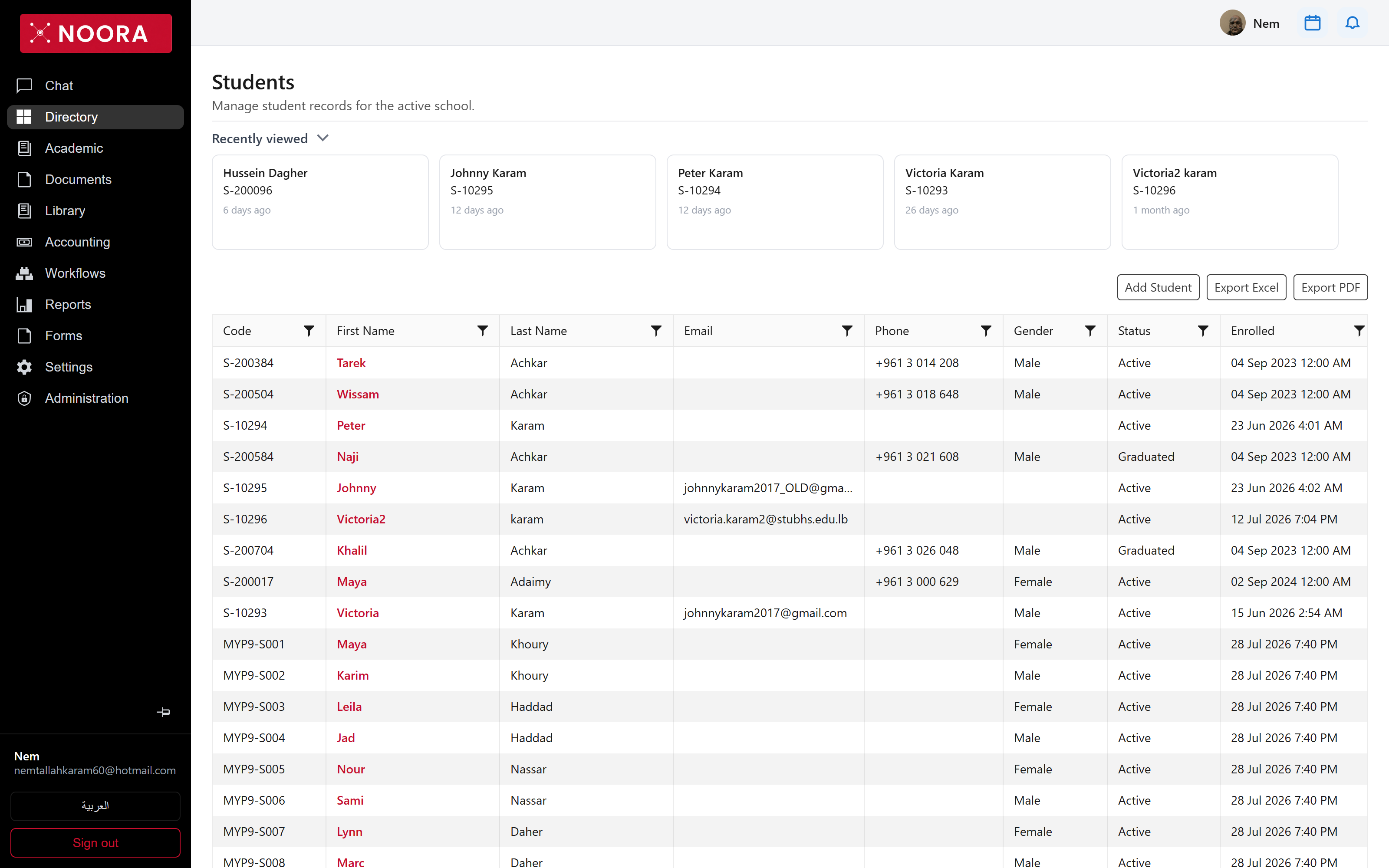
- Add a student, parent or family, and open any record to edit it.
- Filter and sort on any column, then Export Excel or Export PDF with the filters applied.
- Jump back into a record from Recently viewed instead of searching for it again.
- Track enrolment state —
Activestudents stay in the working set,Graduatedones stay on file.
What's on the student grid
| Column | Holds |
|---|---|
| Code | The student's school code — S-10293, MYP9-S001. This is what invoices, rentals and report cards reference. |
| First / Last Name | Legal name as enrolled. |
| Email, Phone | Direct contact. A student email is also the sign-in identity for the family portal. |
| Gender | Optional; blank is allowed. |
| Status | Active or Graduated. |
| Enrolled | Date the student joined the school. |
| Created | When the record entered Noora — useful for spotting imports. |
Parents
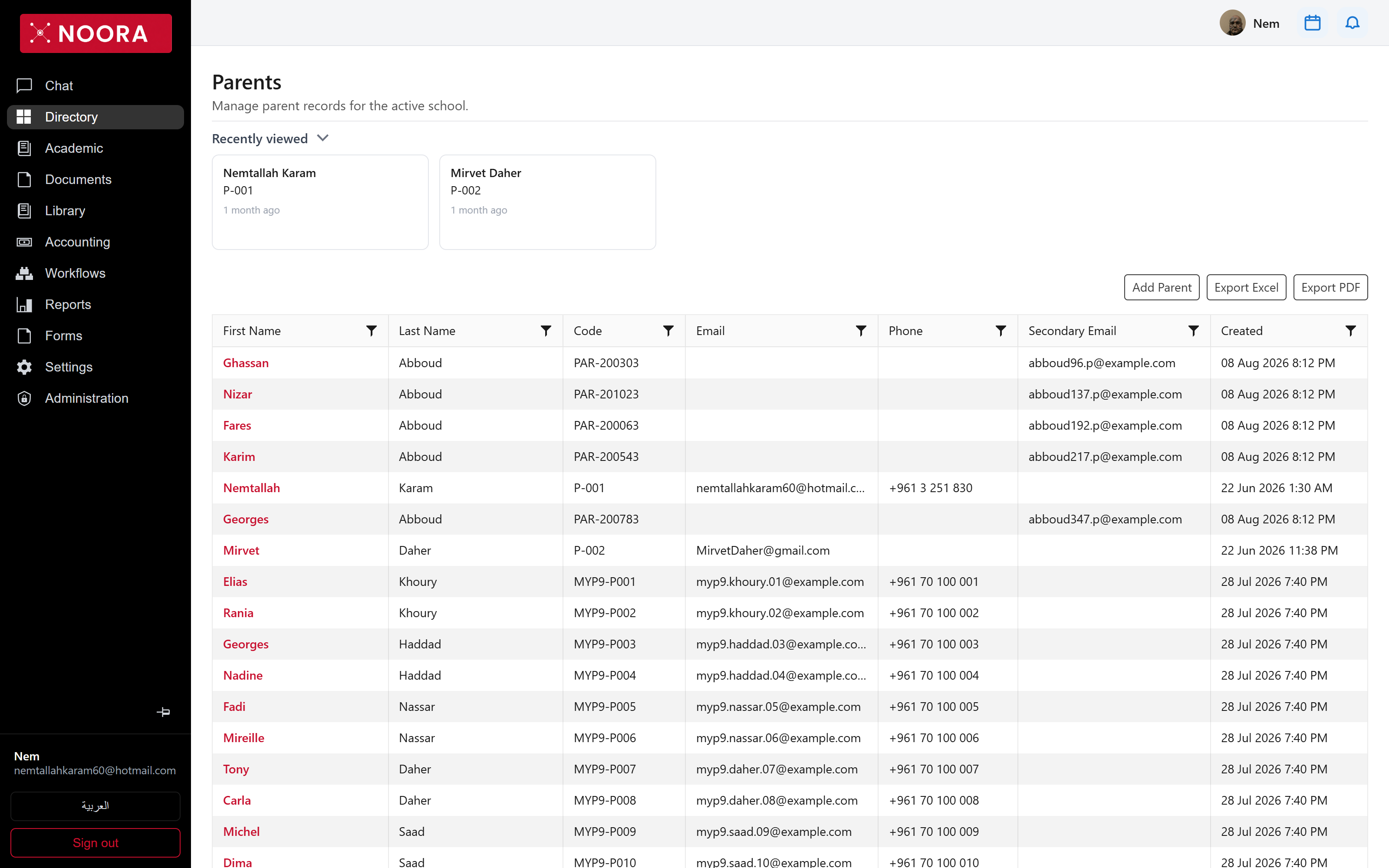
Parent records carry their own code (P-001, PAR-200303), a primary and a
secondary email, and a phone number. Alerts, report-card dispatches and portal access all follow the parent
record, so the email here is the one a family actually reads.
Families
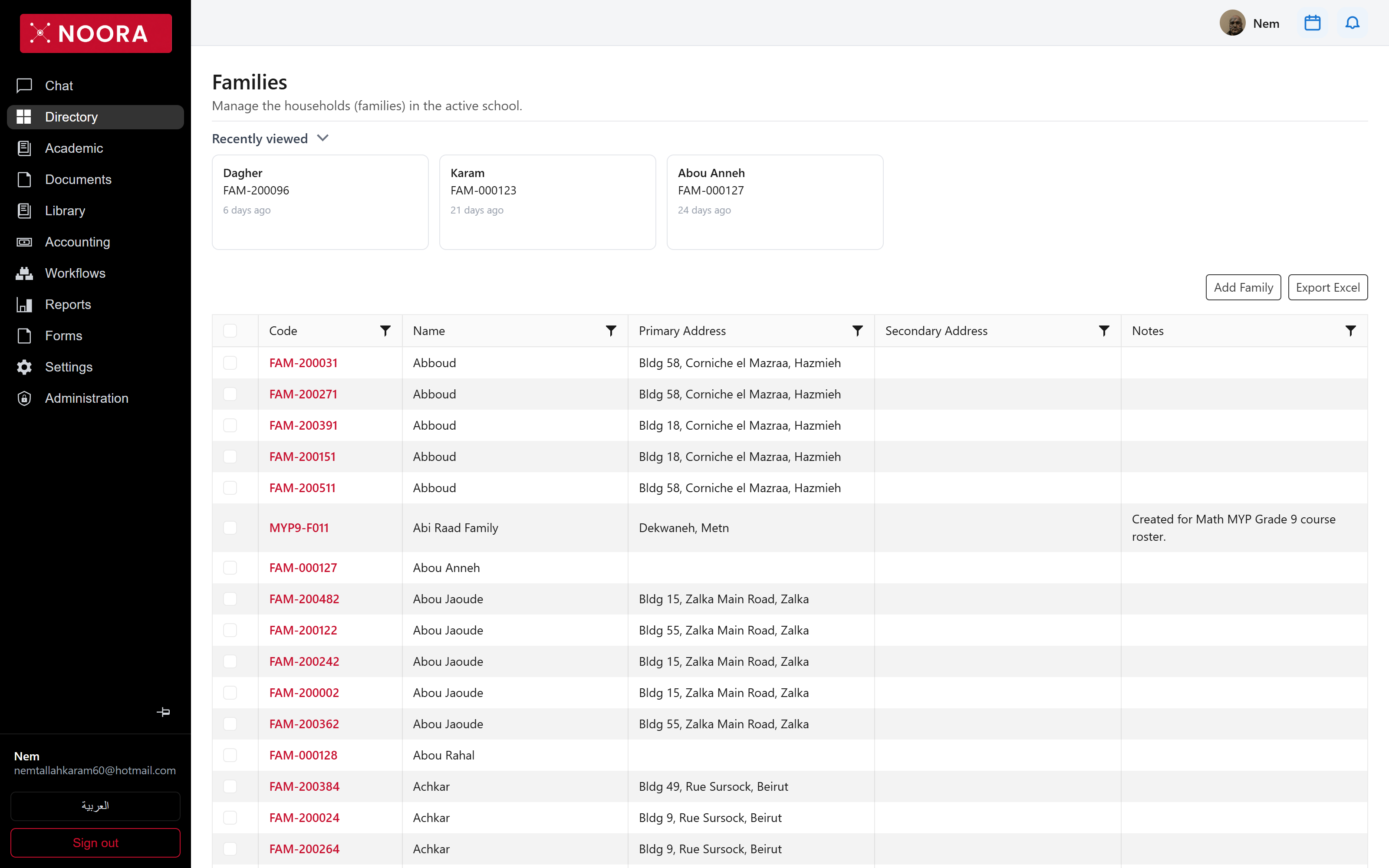
A family is the household: a code, a name, a primary and secondary address, and free-text notes. Families are what let two siblings share an address and a billing conversation without duplicating data.