Office · Module 07 of 20
Report cards
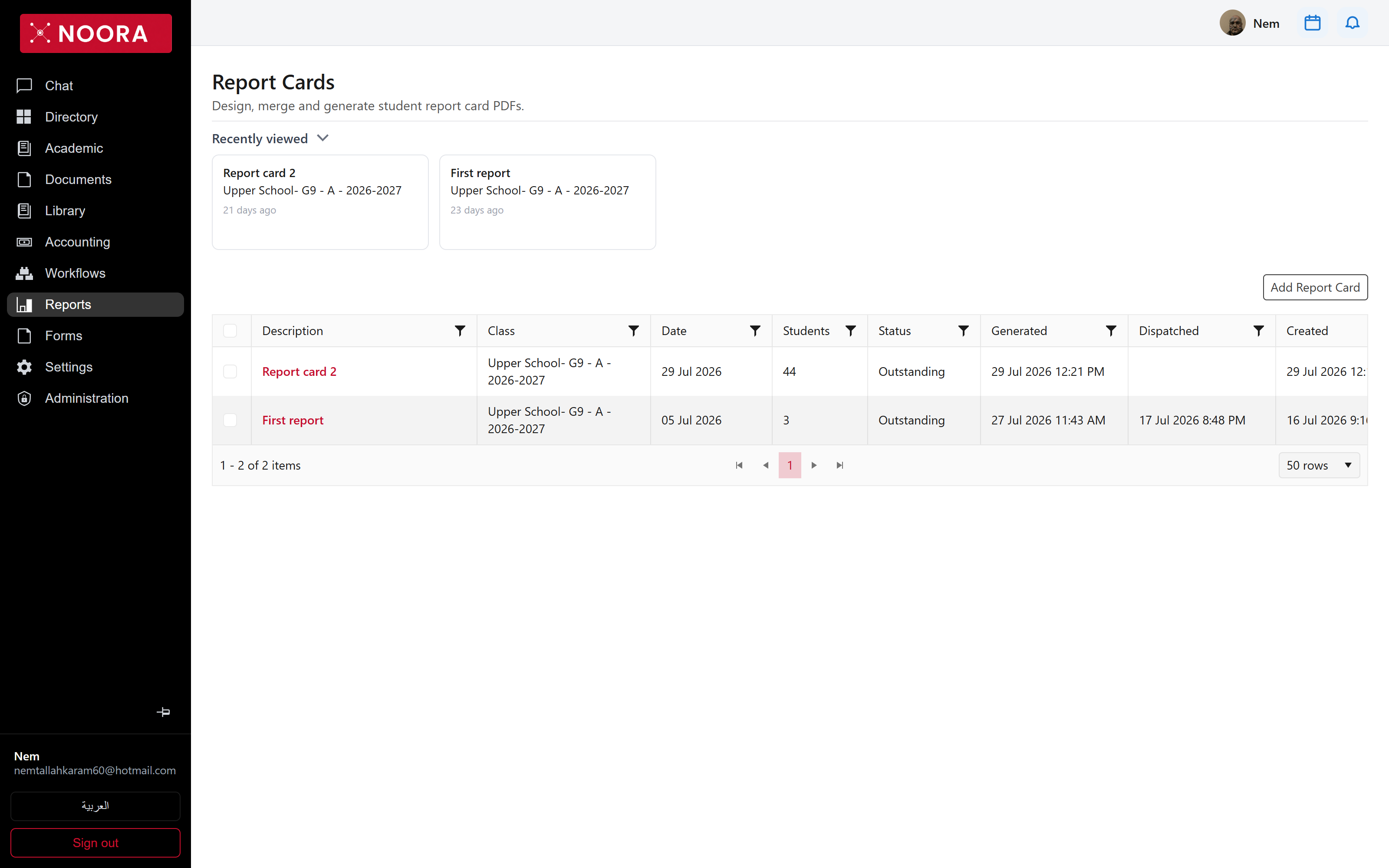
A report card run is one document design applied to one class on one date. Noora merges each student's results into it, generates a PDF per student, and dispatches those PDFs to families.
- Route
- /office/report-cards
- Captured in
- Chrome
- Reaches
- Academic staff, division heads
How a run works
- Create the run: pick the class, the date it reports on, and the design.
- Merge results — each student's marks and comments are pulled into the layout.
- Validate the run, which locks it so results can't drift under a document already reviewed.
- Generate the PDFs, one per student.
- Dispatch to families — each student's PDF is delivered with an alert their parents see in the portal.
What's on the grid
| Column | Holds |
|---|---|
| Description | What the run is called — First report, Report card 2. |
| Class | The class it covers. |
| Date | The date the report card reports on, not the date you built it. |
| Students | How many students are in the run. |
| Status | Where the run stands. |
| Generated / Dispatched | Timestamps for the two irreversible-feeling steps, kept apart on purpose. |
Comments
Written comments are the slow part of a report card, so Noora drafts them from what the course actually recorded — the assessments a student sat and how they performed against the topics covered. Staff edit the draft; nothing reaches a family unreviewed.
Validation is the lock. To pull fresh results into a run that has already been validated, unvalidate it first — the run keeps a history of these steps so it stays clear who changed a document and when.
Once dispatched, the PDF also lands in the family's own record: it shows up as a story on the
student's portal and in Notifications as a ReportCard event.