Office · Module 12 of 20
General ledger
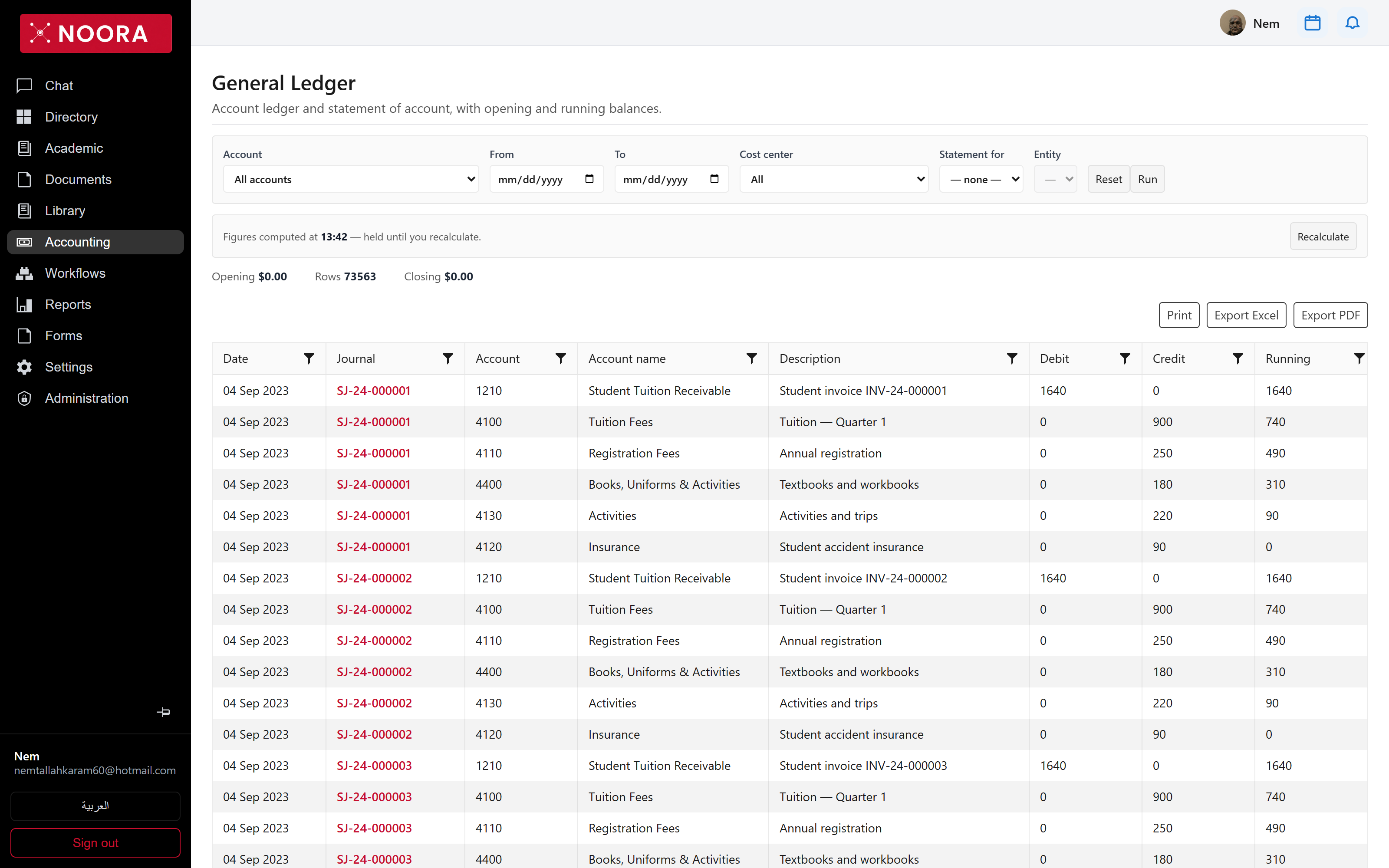
Under billing, payroll, library fines and asset depreciation there is one ledger. Every module that touches money writes a journal here, tagged with the source that produced it — which is what makes a school balance auditable rather than merely reported.
- Route
- /office/accounting/gl
- Captured in
- Chrome
- Reaches
- Accountant, auditor
Journals
Every entry moves through draft, approval and posting, and keeps its origin. The
Source column separates what the system generated from what a person keyed:
StudentBilling entries come from an invoice being issued, Manual ones from the
journals screen itself.
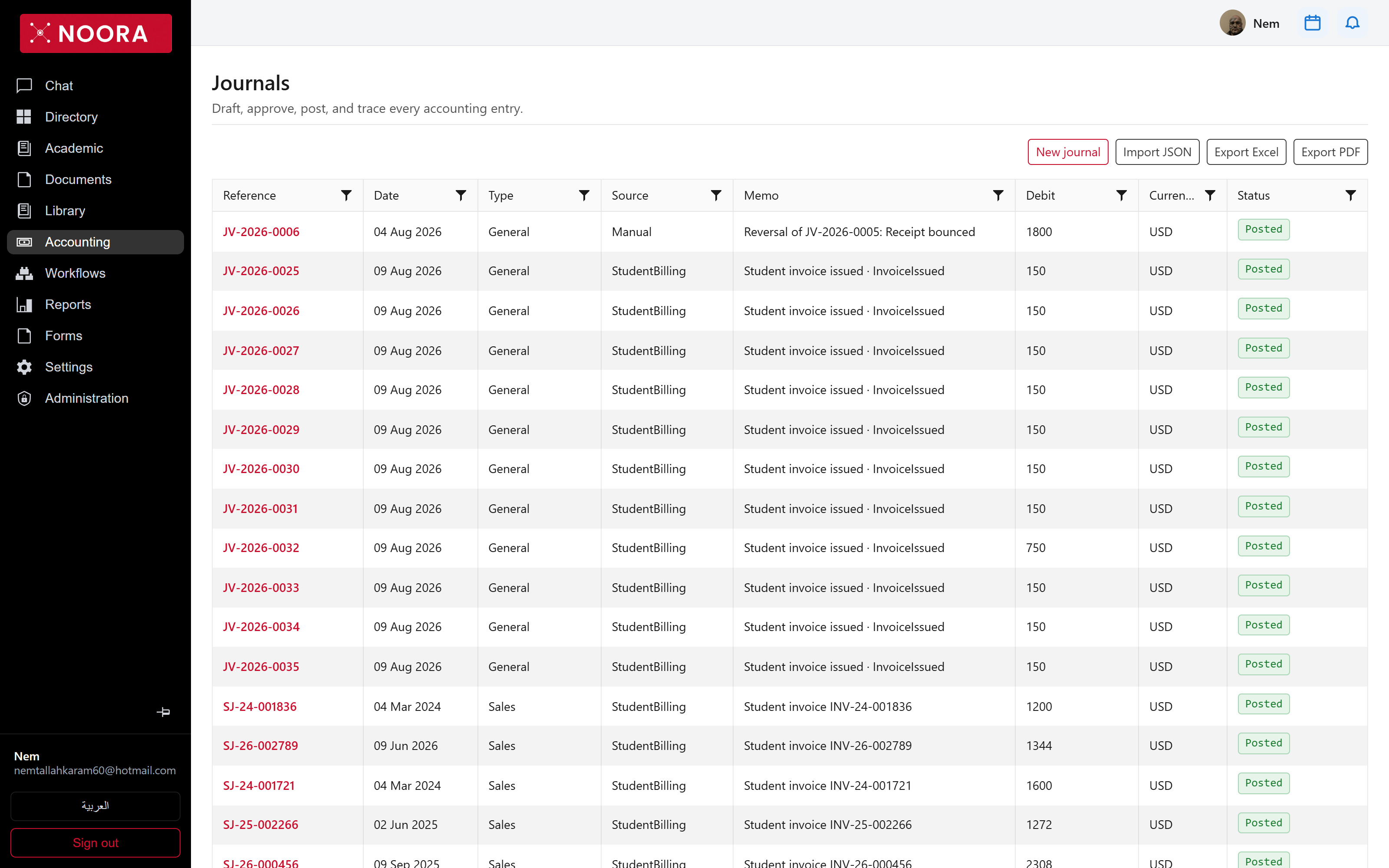
- Create a manual journal, or import one as JSON.
- Approve and post a draft — posted entries are what statements read.
- Correct a mistake with a reversal that names the original and the reason, rather than editing history.
- Trace any figure on a statement back to the entry and the source event that produced it.
Chart of accounts
The chart is a hierarchy: 1000 ASSETS → 1100 Cash & Cash Equivalents
→ 1110 Bank — Byblos USD Current. Parent accounts group; only accounts marked
postable can take an entry, which is what stops a posting landing on a heading.
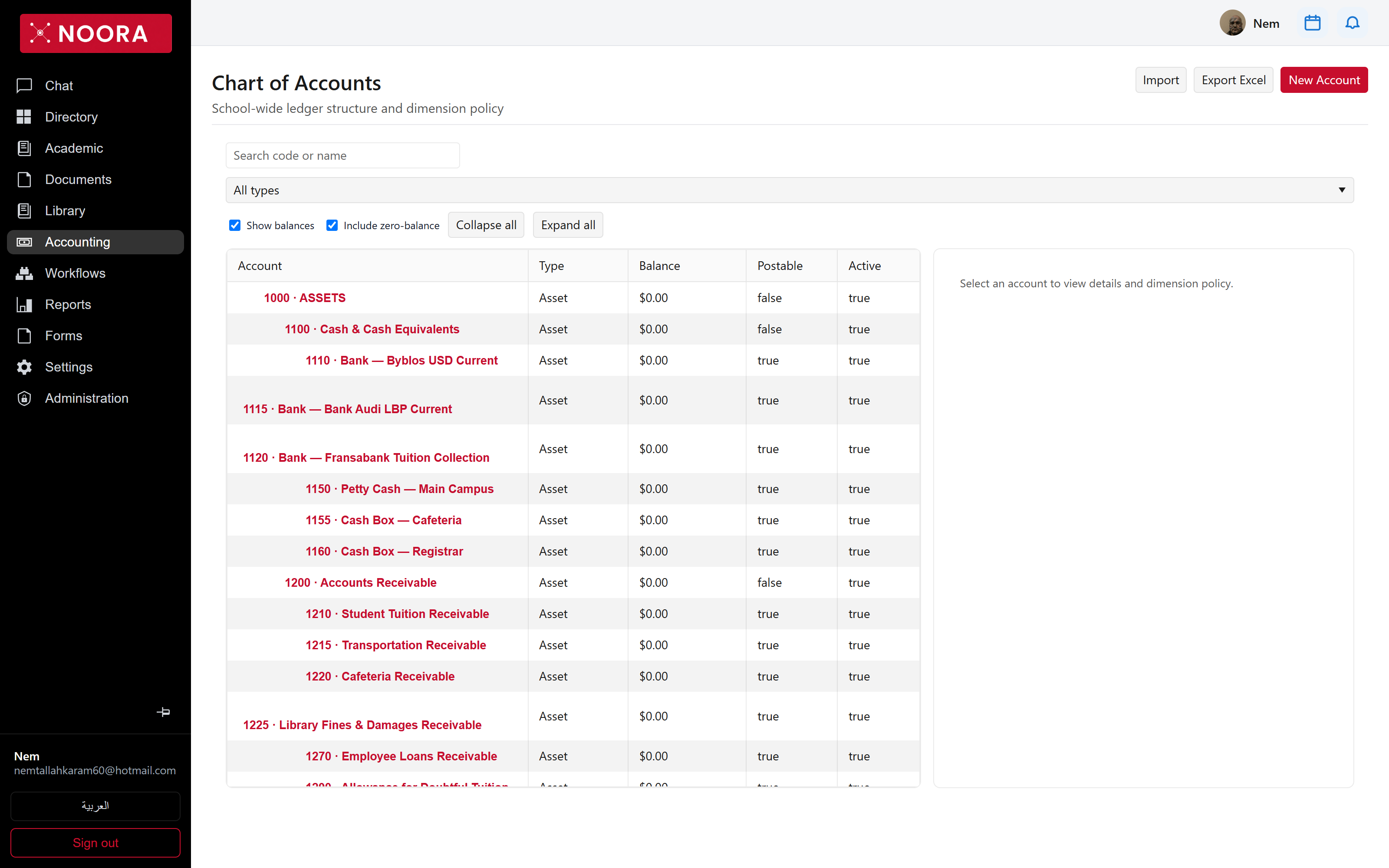
The default chart is written for a school, not adapted from a generic one — Student Tuition Receivable, Deferred Tuition Revenue, Library Fines & Damages, End-of-Service Indemnity Provision, School Buses. Import your own if you'd rather keep an existing structure.