Office · Module 08 of 20
Calendar & events
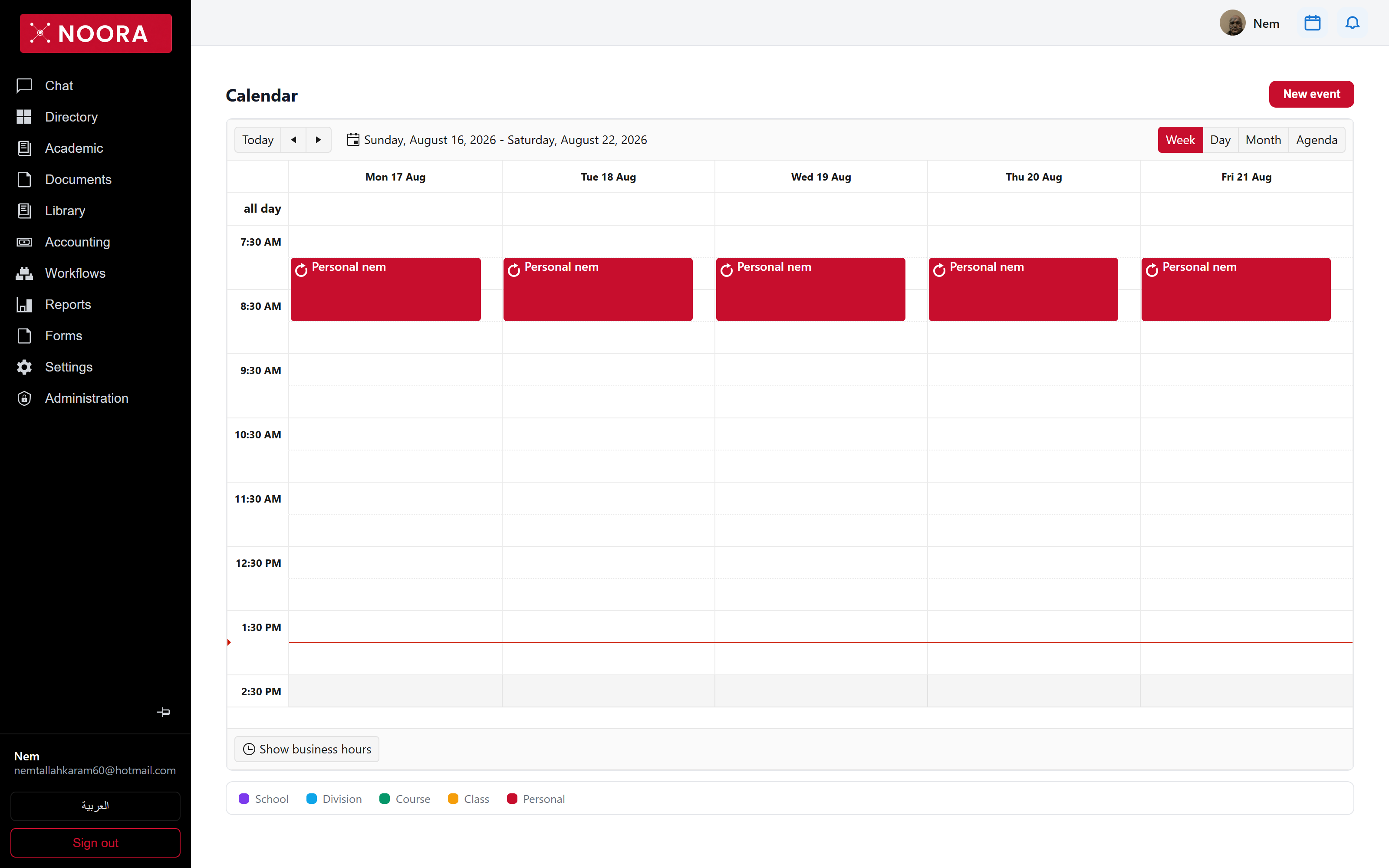
The calendar is one scheduler showing five kinds of event at once. What you see depends on the scope an event was created at — school-wide, division, course, class, or personal to you.
- Route
- /office/calendar
- Captured in
- Chrome
- Reaches
- All staff
What you can do here
- Switch between Week, Day, Month and Agenda, or jump back with Today.
- Create an event with New event and choose the scope that decides who sees it.
- Toggle Show business hours to collapse the day to school hours.
- Filter by scope — School, Division, Course, Class, Personal.
- Drag an event to move it, or drag its edge to change how long it runs.
The five scopes
| Scope | Who sees it |
|---|---|
| School | Everyone at the school, staff and families alike. |
| Division | Staff and families attached to that division. |
| Course | Students taking the course, and their parents. |
| Class | The class group and its parents. |
| Personal | Only you. |
Families see the same calendar
The portal uses the same scheduler and the same scopes — so a school or class event published here appears in the family calendar without any second step. Personal events never leave your account.