Family portal · Module 15 of 20
Home & ask Noora
The family portal opens on a conversation, not a dashboard. A parent or student asks a question in their own words and Noora answers from the school's records — the same records the office works in, filtered to what this family is allowed to see.
- Route
- /
- Captured in
- Firefox
- Reaches
- Parents and students
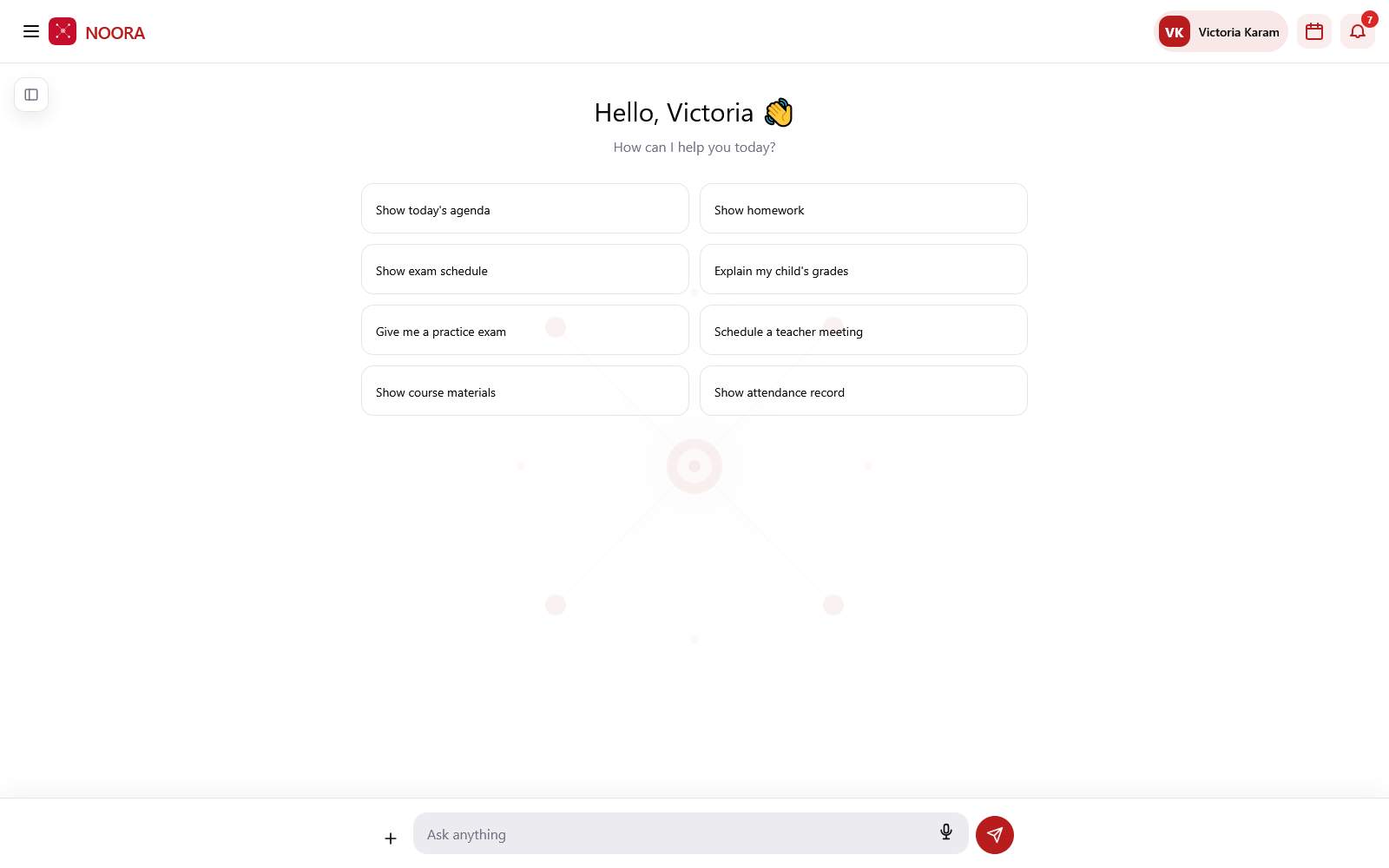
What a family can ask
- Show today's agenda — what's on for the student today.
- Show homework and Show exam schedule — what's due and what's coming.
- Explain my child's grades — the results in plain language.
- Give me a practice exam — a generated practice set on the material the course is covering.
- Schedule a teacher meeting — opens the school's own request form.
- Show course materials — what teachers have shared.
- Show attendance record — presence, lateness and absence.
Signing in
Families sign in with a one-time code emailed to them — no password to keep or reset. A parent with more than one child switches student from the header, and every screen follows the switch.
The assistant reads the same database as the office, but a family can only reach their own student's records. Whether it may pass on a teacher's email or phone number is a school setting, not the assistant's decision — see Administration & settings.