Office · Module 11 of 20
Billing & receivables
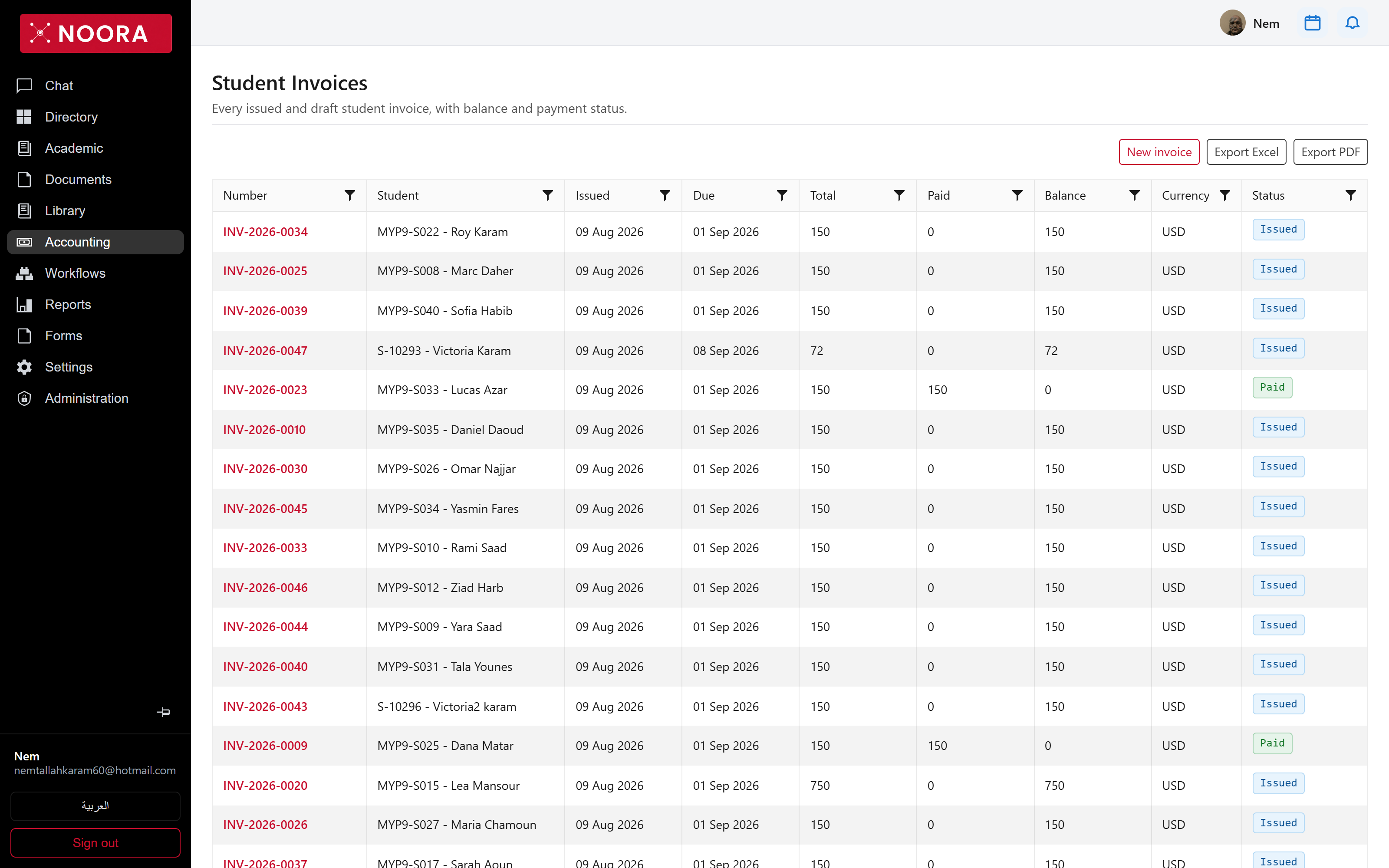
Billing runs from a fee structure to a posted invoice to a receipt, and then to the aging report that tells you who to chase. Every step leaves an accounting entry behind it.
- Route
- /office/accounting/invoices
- Captured in
- Chrome
- Reaches
- Bursar, accountant
What billing is made of
The billing screen is a set of tabs, each one a piece of the pipeline:
| Tab | Holds |
|---|---|
| Fee structures | The priced packages — tuition, insurance, per-grade annual fees — with a version and a status. |
| Services & service enrollments | Optional extras such as transport or cafeteria, and who signed up. |
| Course fees | Charges attached to a specific course rather than a grade. |
| Fee types | The categories fees roll up into. |
| Plan templates & payment plans | Instalment schedules, as reusable templates and as a family's actual plan. |
| Receipts | Money received against invoices. |
| Discount rules | Rules that reduce a charge automatically — sibling discounts and the like. |
| Scholarships & aid | Awards applied to a student's bill. |
| Billing runs | Each execution of Run billing, so you can see what a run produced. |
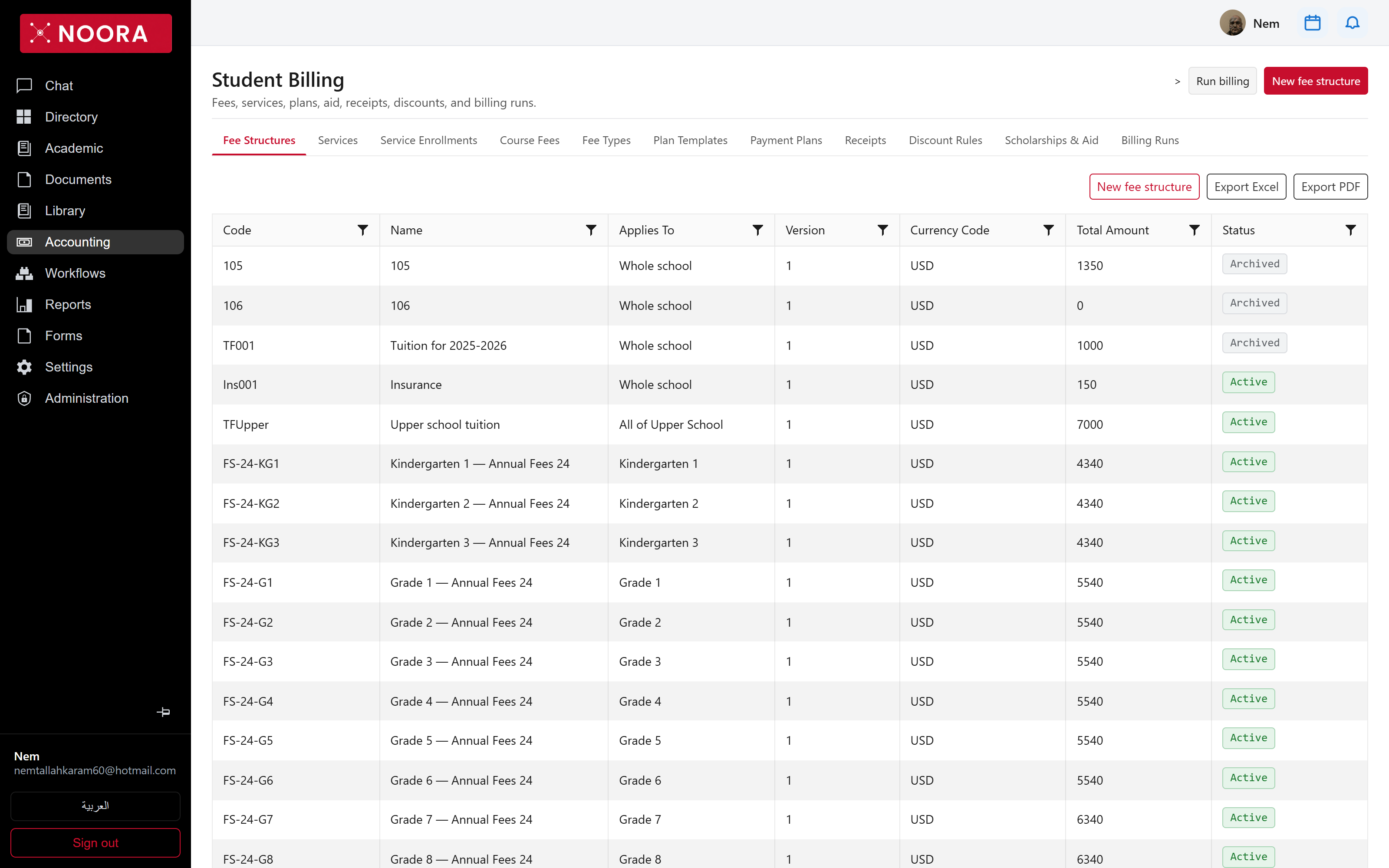
A whole-school structure, a division structure and a grade structure that all match one student will all bill. This is deliberate: it is how a school layers a base tuition, a division levy and a grade-specific fee. Check what already applies before adding a structure at a narrower scope.
Collections
The aging screen recomputes open balances as of a date you pick and buckets them — current, 1–30, 31–60, 61–90, and 90+ days. Send reminder works from the filtered list, so a chase run follows the same rules you just looked at.
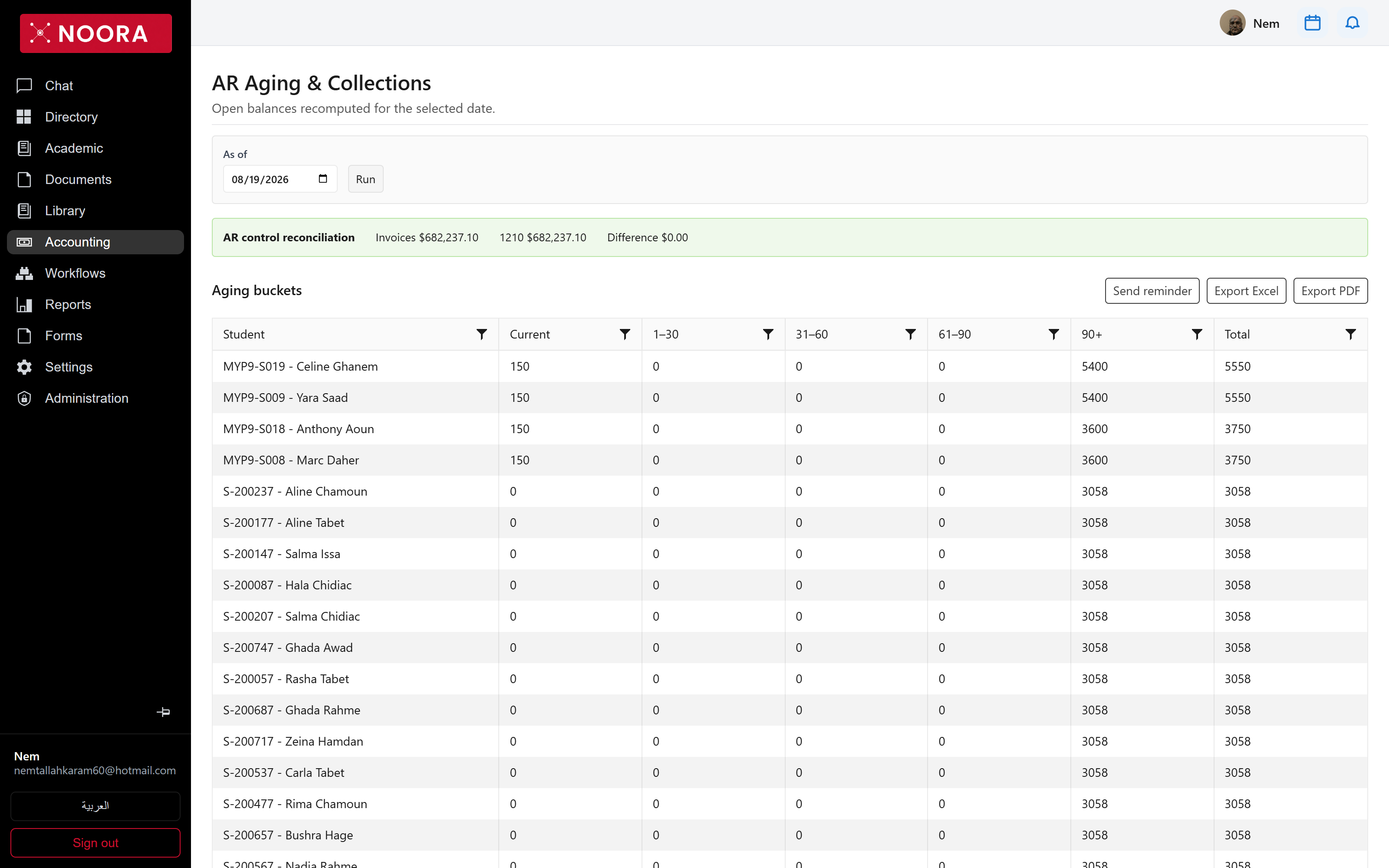
Invoices against control account 1210 should
differ by 0.00. Anything else means an invoice or a payment didn't post cleanly, and the aging report
below it can't be trusted until that's resolved.