Office · Module 06 of 20
Academic structure
Three small screens set the skeleton the rest of the platform hangs on: which year is current, how the school divides itself, and which subject teams exist inside each division.
- Route
- /office/academic-years
- Captured in
- Chrome
- Reaches
- Admin, division heads
Academic years
Each year has a start date, an end date, and a Current flag. Exactly one year is current, and that is the year new classes, courses and billing default to. Old years stay in place so results and invoices keep their context.
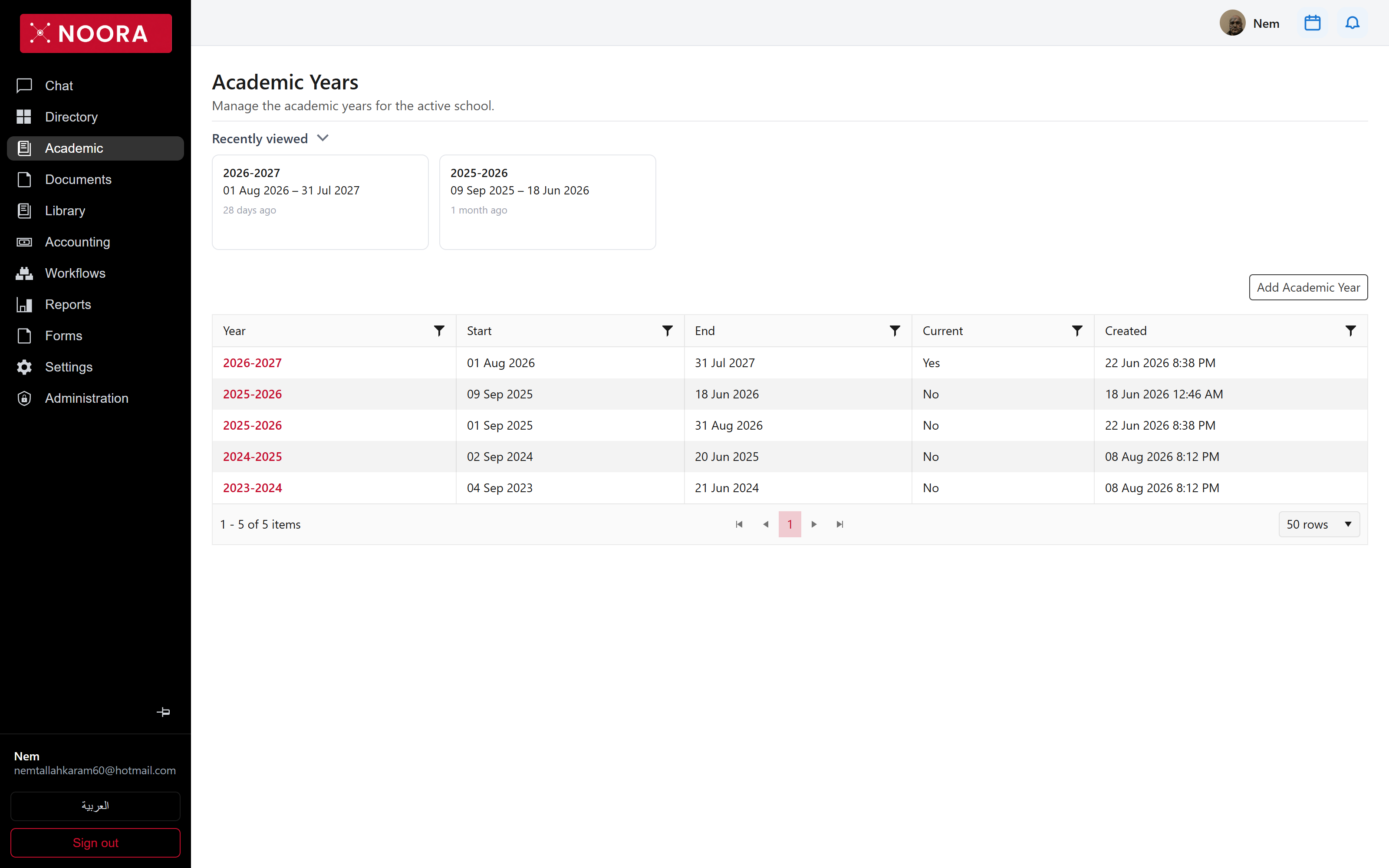
Current; earlier years remain on file.
Divisions
Divisions are the school's top-level sections — Preschool, Lower Primary, Upper Primary, Upper School — each with a head and an explicit order. A division head's permissions are scoped to their division, and division is also a calendar and fee-structure scope.
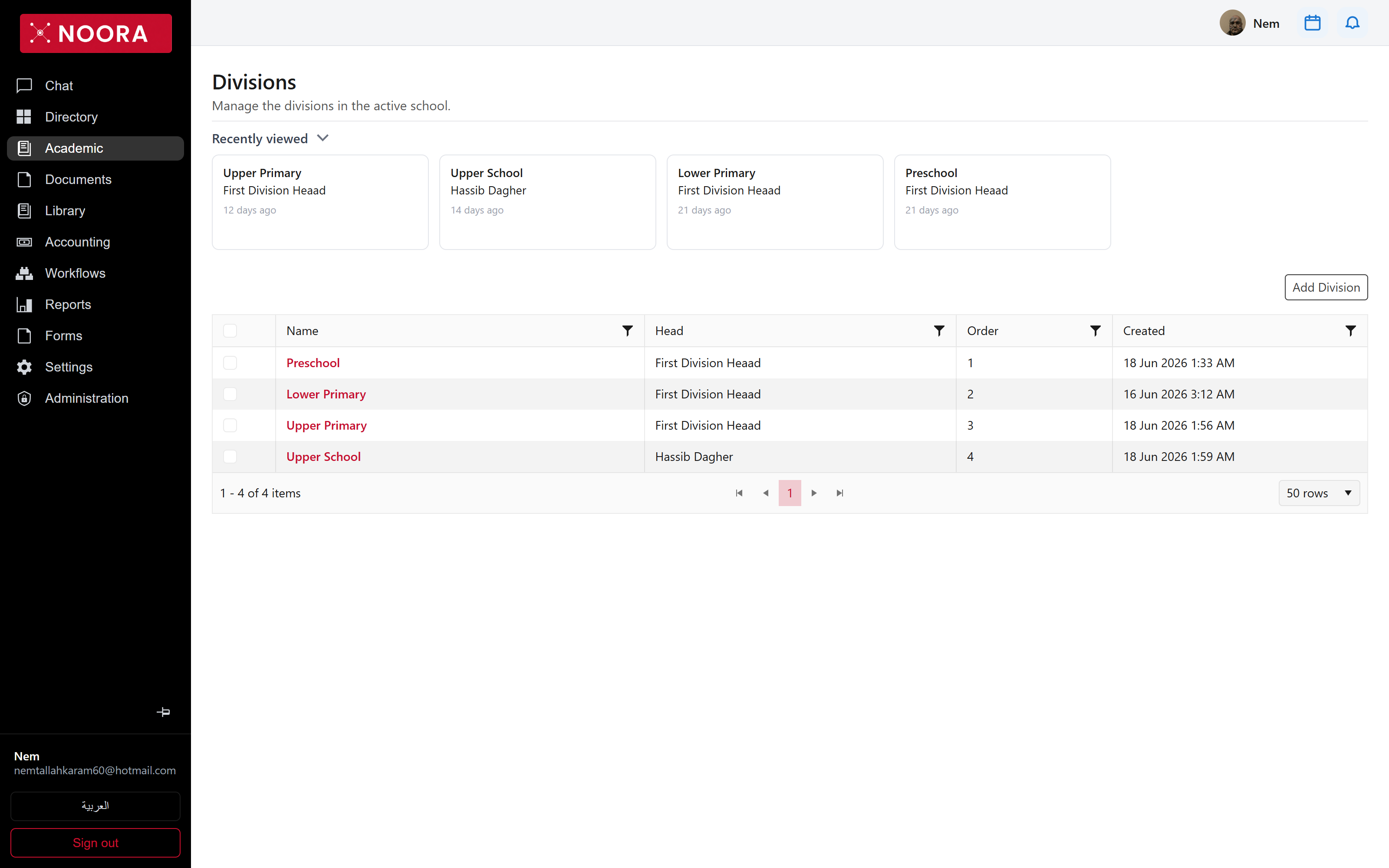
Departments
Departments are subject teams inside a division — Science - Upper Primary, Languages - Upper School, ICT / Computer Department - Upper School — each with a head. Teachers belong to a department, which is how a subject lead gets a view of their own staff.
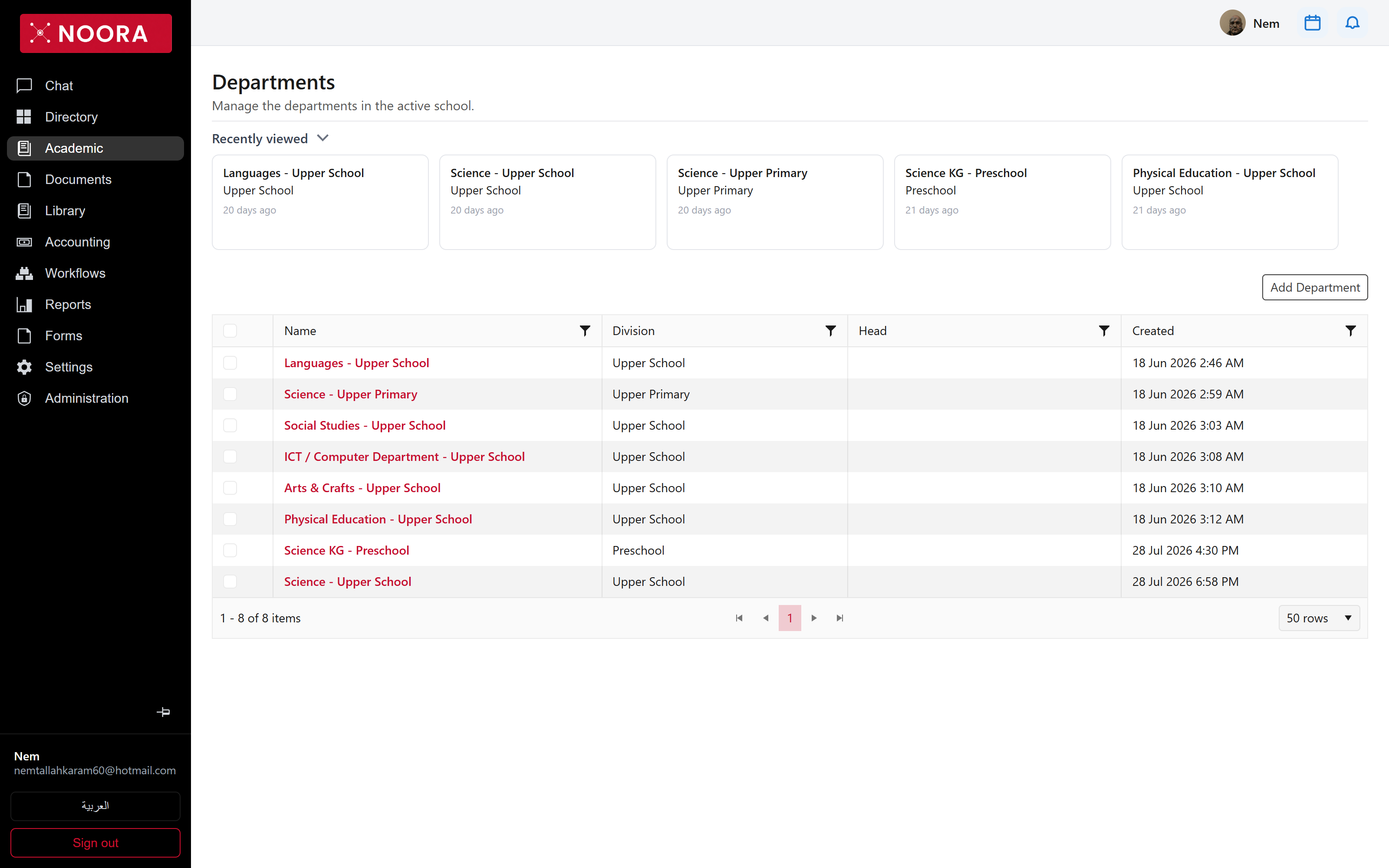
Classes, courses, teachers and fee structures all reference these three screens. Getting divisions and the current year right before importing people saves re-keying later.